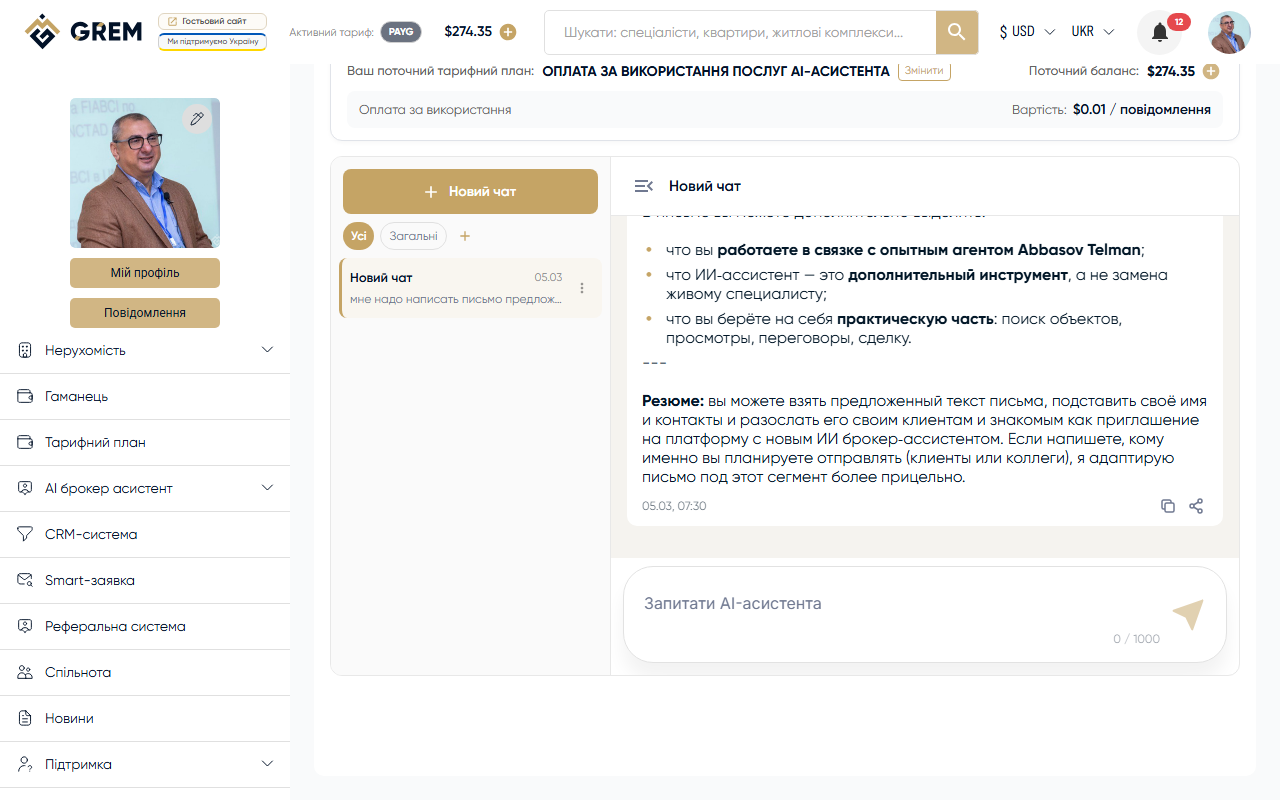
What It Is
The AI Chat Assistant is a personal AI-powered helper for working with real estate. It answers questions about the market, helps draft listing copy, analyzes property parameters, and advises on legal aspects of deals.
Modes
The assistant operates in two modes:
- Consultation mode — interactive consultation. You type questions, and the AI responds in real time. Suitable for market analysis, text preparation, and answering complex questions.
- Auto-responder — automatic replies to incoming messages. The AI processes inquiries from potential buyers or tenants according to predefined rules.
How to Use
Creating a Session
- Go to Tools > AI Chat Assistant in the dashboard
- Click "New chat"
- Start typing your message
Sending Messages
Type your text in the input field and click "Send" or press Enter. The AI response appears progressively — you see the text in real time as it's generated.
Organizing Conversations
For convenient management of multiple chats:
- Projects — group conversations by property or client
- Renaming — give conversations descriptive names
Message History
All messages are saved. Scroll up to load older messages.
Availability
| Platform | Path | Status |
|---|---|---|
| Dashboard (web) | Tools > AI Chat Assistant | Full support |
| Mobile app | "AI" section | Full support |
Pricing
Billing is per message. Funds are deducted from your GREM wallet balance automatically.
Before getting started, make sure your wallet balance has sufficient funds. More about pricing: pricing plans.
Tips
- Be specific in your questions: mention the property type, location, and target audience
- Use projects to separate work contexts
- In consultation mode, the AI takes the previous messages in the session into account
- For long analytical responses, wait for the reply to finish before sending the next question