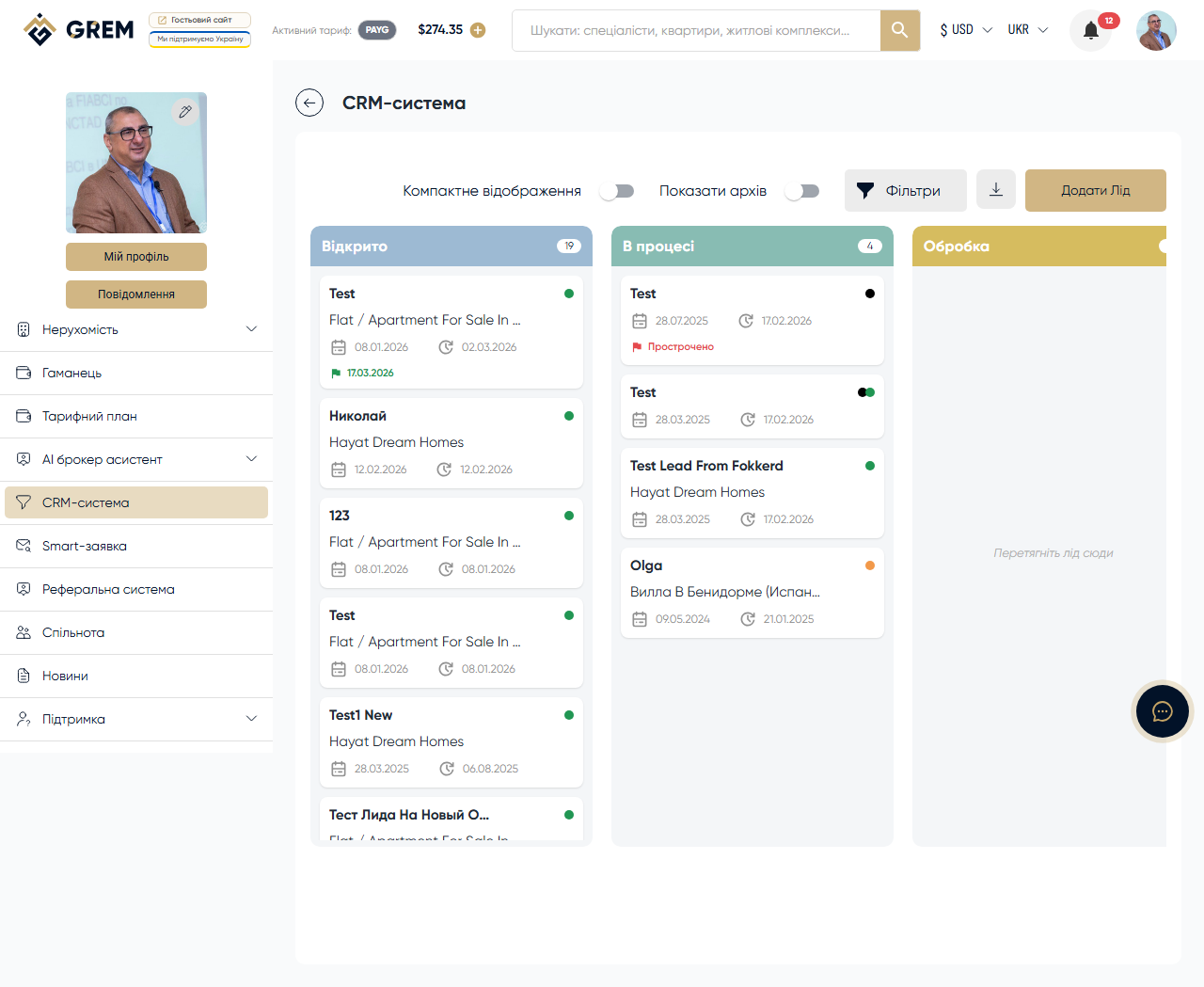
Visual Board
The sales pipeline is implemented as a visual board with 7 columns. Each column corresponds to a lead stage. Leads are moved between stages by dragging a card from one column to another.
Columns and Stages
| Column | Purpose | Action on move |
|---|---|---|
| New | New leads | Automatic on creation |
| In Progress | Active work | Drag and drop |
| Processing | Processing details | Drag and drop |
| Approval | Negotiating terms | Drag and drop |
| Completed | Deal completed | Opens the finalization dialog |
| Non-Target | Non-target lead | Drag and drop |
| Lost | Deal fell through | Drag and drop |
When a lead is moved to the "Completed" column, the deal finalization dialog opens automatically. Learn more: Deals and Finalization
Visual Indicators
Each lead card has a colored dot:
- Black — own lead (created by you)
- Orange — sent lead (you transferred to another broker)
- Green — received lead (transferred to you by another broker)
Card Size
The board supports two display modes:
- Large — full details: name, phone, budget, property, date
- Compact — name and stage indicator only
Toggle the card size using the button in the board toolbar.
Filters
A filter panel is located above the board:
| Filter | Description |
|---|---|
| Keyword | Search by client name, phone, or comment |
| Date range | Filter by lead creation date |
| Lead source | Own, New Build, Real Estate, Transfer, or All |
| Lead type | Received, Sent, Own, or All |
| Archived | Toggle to show/hide archived leads |
Filters are applied instantly across all board columns.
Export
Click the export button to download leads in XLSX format. The file contains all leads from the current selection (respecting active filters). Each row includes: name, phone, email, stage, type, source, creation date, and budget.
State Persistence
The board state is saved locally in the browser:
- Active filters
- Selected card size
- Scroll position
When you reopen the CRM, the board restores to its last state.
The board state is saved locally in the browser. When logging in from a different device or clearing browser data, filters reset to their defaults.
Related Sections
- Lead Management — creating and lead types
- Deals and Finalization — completing deals
- Deadlines and Reminders — deadline management