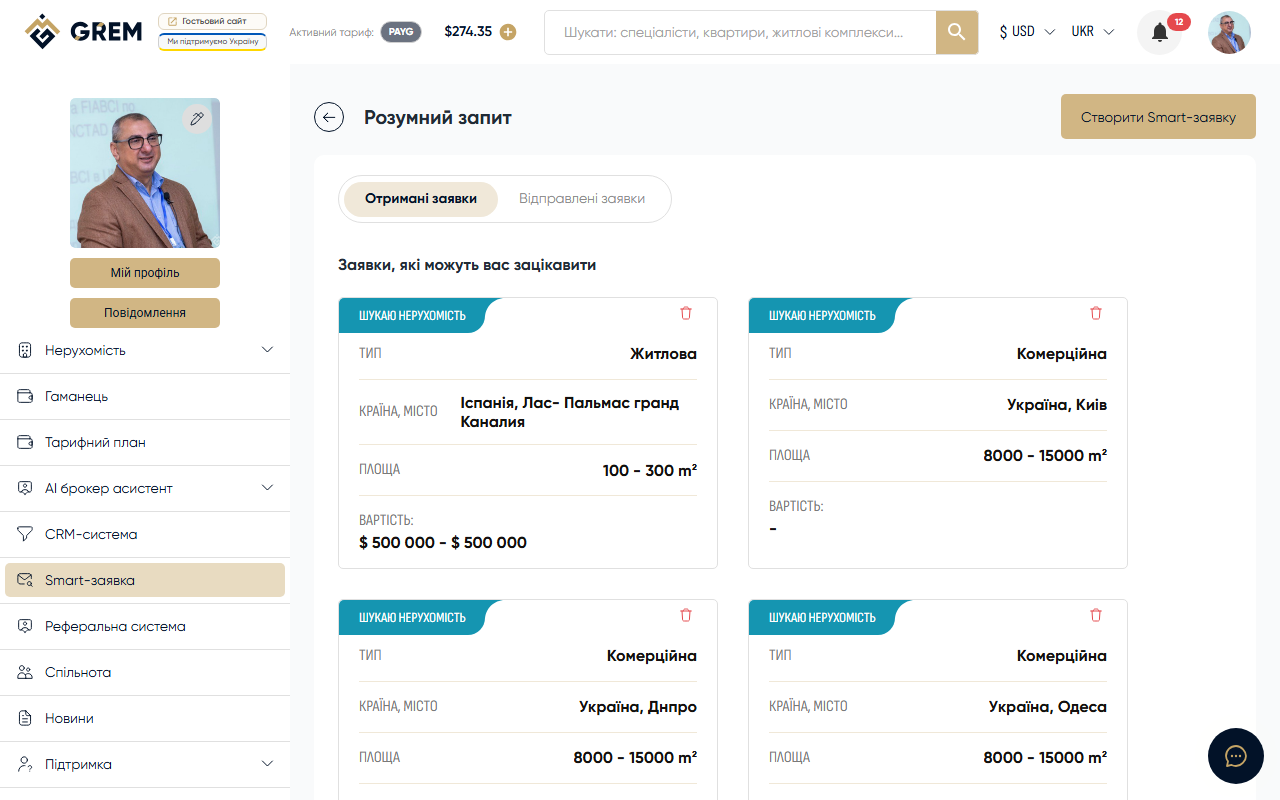
How to Create a Smart Request
Go to the "Smart Requests" section in the cabinet and click the button to create a new request.
Filling Out the Form
Step 1: Property Type
Choose the type of property you are looking for:
- Residential
- Commercial
- Industrial
- Land plot
Step 2: Location
Specify the desired location:
- Country: select from the list
- City: select or enter a name
Step 3: Parameters
| Parameter | Description |
|---|---|
| Area from | Minimum area in sq.m |
| Area to | Maximum area in sq.m |
| Price from | Minimum budget |
| Price to | Maximum budget |
Step 4: Contact Information
- Phone: contact number
- Email: email address
- Name: your name or company name
Step 5: Additional Parameters
- Languages: languages you are comfortable communicating in
- Purpose: describe the intended use (residential, investment, business)
After Creation
The request is saved with an "active" status. You can track its status and receive responses from specialists.
All your requests are displayed in the "Smart Requests" section in the cabinet. More about management: Managing Requests.
The more detailed your requirements, the more accurately the system will match options for you.