Creating a Community Profile
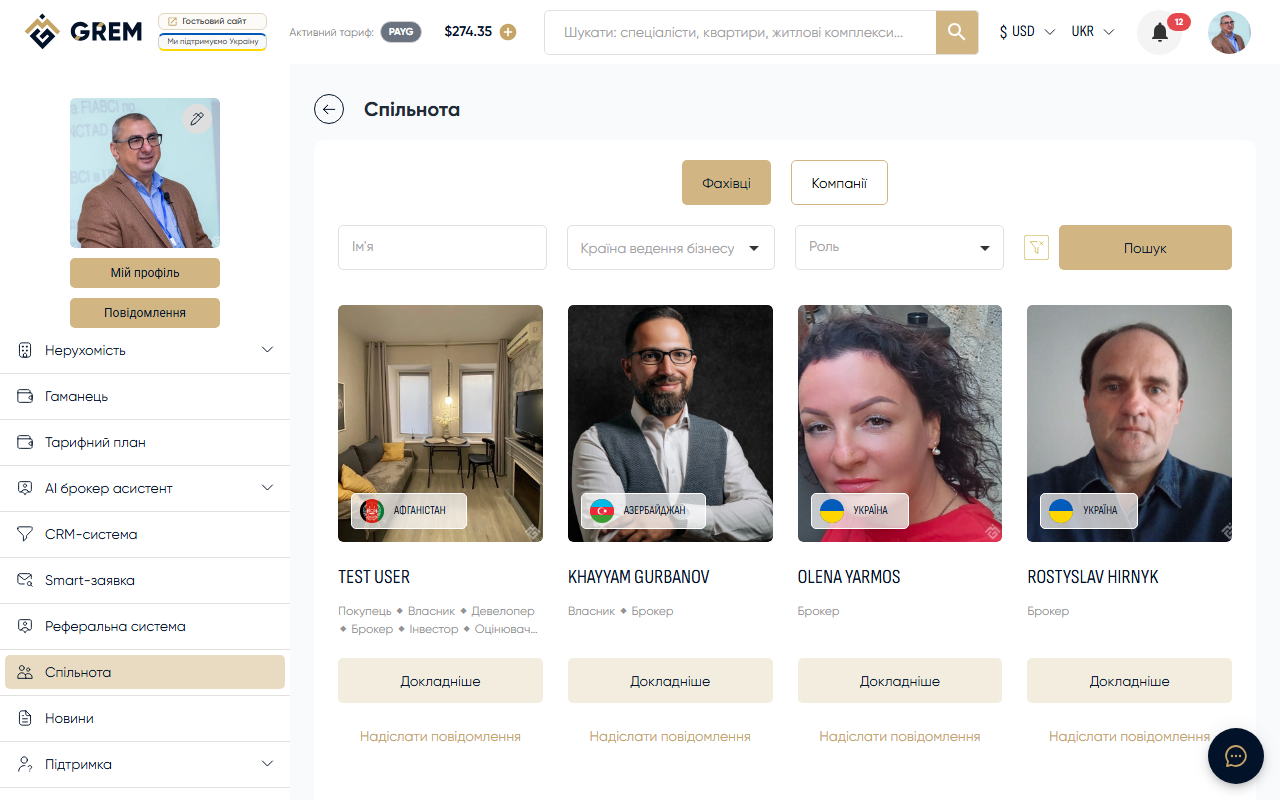
A community profile is your public business card on the GREM Capital platform. It allows other users to find you, evaluate your experience, and get in touch for collaboration.
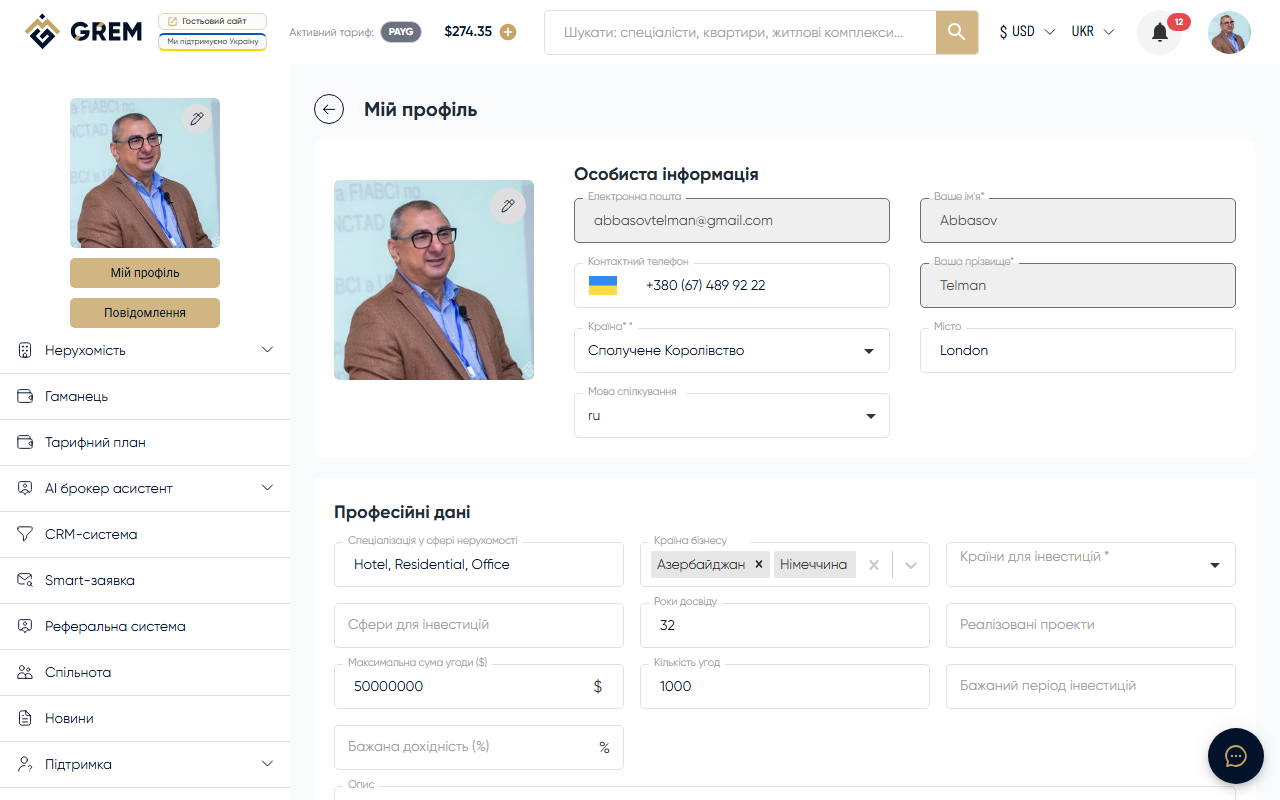
Go to the "My Profile" section, "Community" tab to create or edit your profile.
Main Fields
| Field | Description | Required |
|---|---|---|
| Name / company name | Public name on the profile | Yes |
| Type | Individual, company, or organization | Yes |
| Country | Country of registration | Yes |
| City | City of activity | Yes |
| Specialization | Real estate focus area | No |
| Experience | Years of experience | No |
| Number of deals | Completed deals | No |
| Business countries | Where you operate | No |
| Investment countries | Target investment markets | No |
| Logo | Photo or company logo | No |
Education and Licenses
You can add to your profile:
- Education (institution, year, specialty)
- Real estate activity licenses
- Certificates and awards
This information builds trust in your profile.
Portfolio
The portfolio section lets you upload files that demonstrate your experience:
- Examples of completed projects
- Documents and presentations
- Property photos
File uploads work via drag-and-drop or file browser selection.
Finishing Up
After filling in all fields, save the profile. It will become available in the community directory. To increase visibility, we recommend completing verification.
The profile completeness indicator shows how many fields you have filled in. The more complete the profile, the higher it ranks in the community search results.