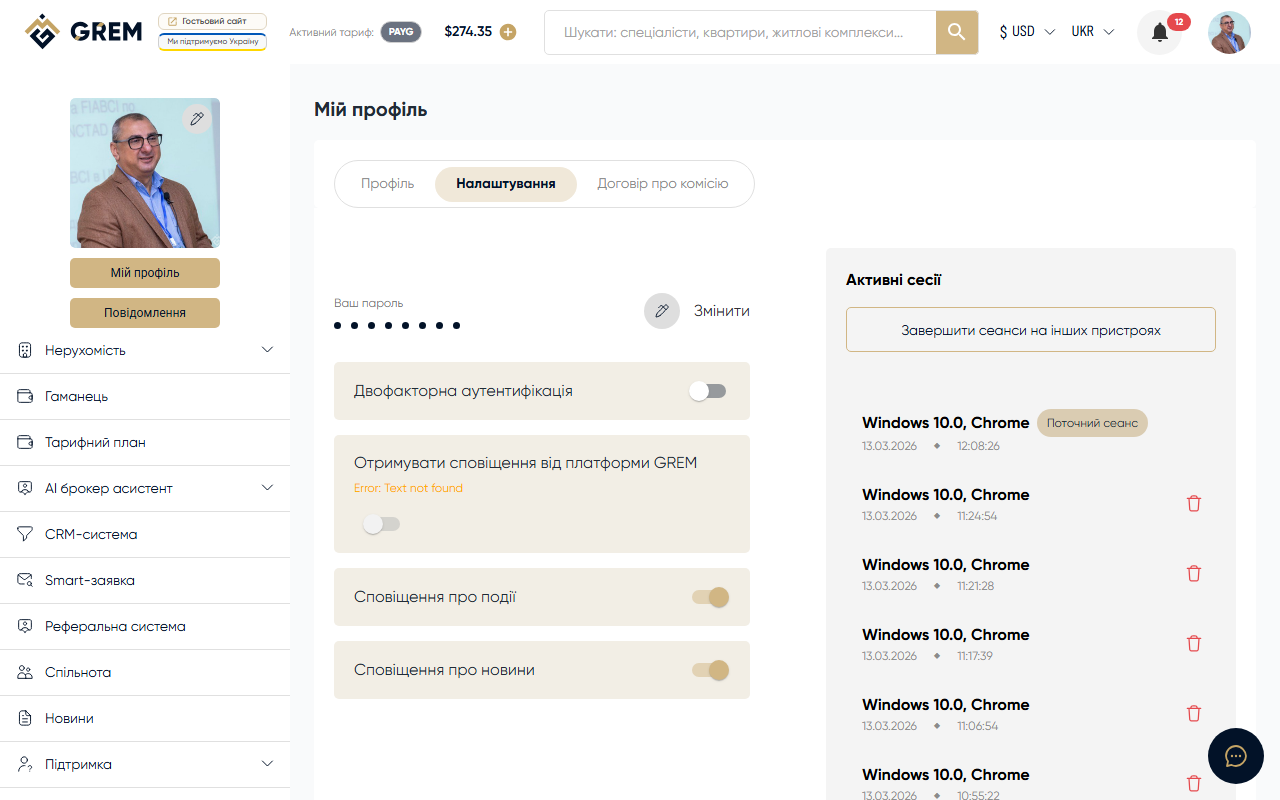
Changing Your Password
To change your password, go to the Settings section and find the password change block.
Change Process
- Enter your current password
- Enter a new password
- Confirm the new password
- Click "Save"
Password Requirements
- Minimum length: 8 characters
There are no other mandatory requirements (uppercase letters, numbers, and special characters are not required), but we recommend using a strong password.
Security Recommendations
Strong Password
- Use a unique password that you don't use on other websites
- Combine uppercase and lowercase letters, numbers, and special characters
- Minimum 8 characters, 12+ recommended
- Don't use personal information (name, date of birth)
General Tips
- Don't share your password with anyone
- Change your password regularly (every 3-6 months)
- Check active sessions for suspicious activity
- If you suspect unauthorized access, immediately change your password and terminate all sessions
Password Recovery
If you forgot your password:
- On the login page, click "Forgot password?"
- Enter your account email
- Receive an email with a reset link
- Follow the link and set a new password
Never share your password with anyone, including GREM support staff. The support team will never ask for your password.