Creating a Direct Chat
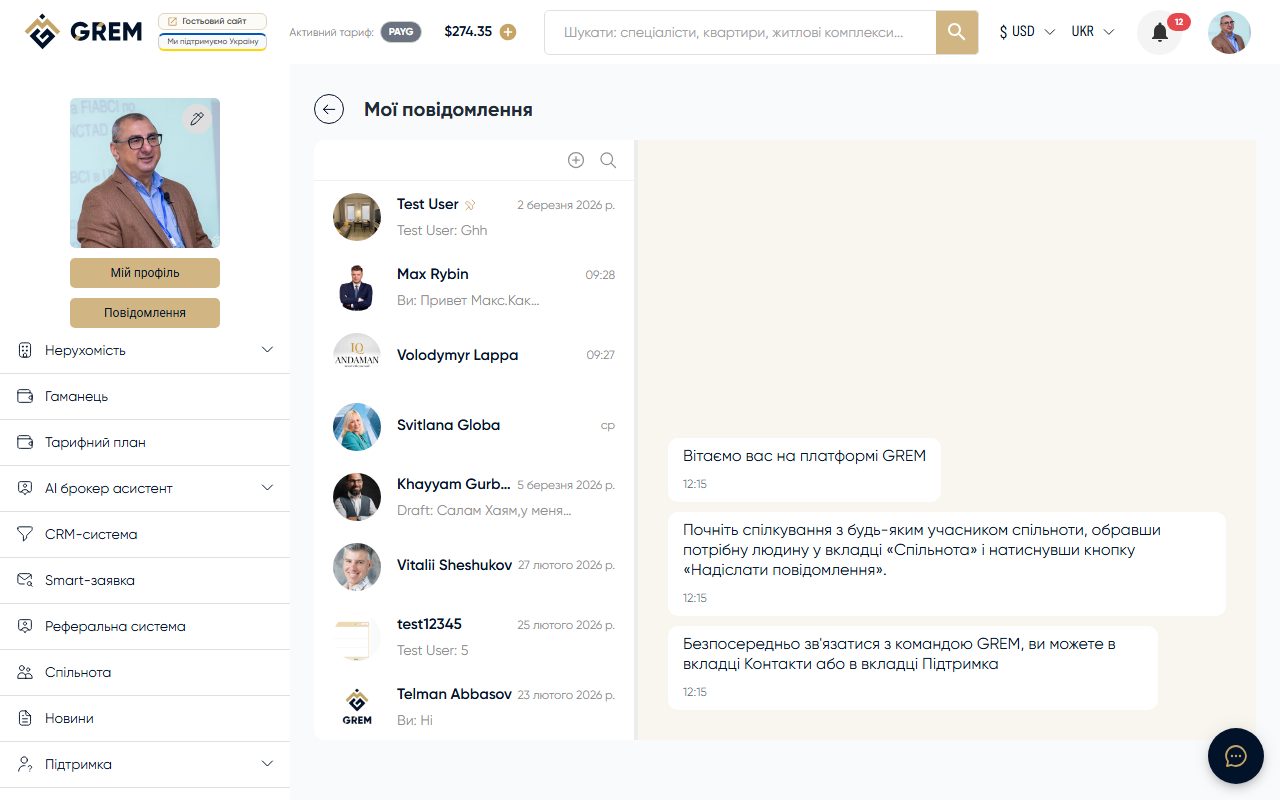
Click the new chat button to open the new chat window. Find a contact by searching by name or email. Select the user and click "Create." If a direct chat with this user already exists, the system will open the existing chat.
Sending Messages
Text
Type your message in the input field and press Enter to send. Ctrl+Enter adds a new line.
Files
Click the attachment button or drag and drop files into the chat area.
| Limitation | Value |
|---|---|
| Maximum files | 9 per message |
| Total size | 25 MB |
Audio
Click the microphone button to start recording a voice message. Click again to finish and send.
Video Circles
Record a round video clip via the camera. The video is processed before sending.
Learn more: Media and Files
Message Actions
Editing
Click on your message and select "Edit." Modify the text and save.
Editing is available only within 24 hours of sending. After that, the message can only be deleted.
Deleting
Select "Delete" from the message context menu. The deleted message is replaced with "Message deleted."
Reactions
Click on a message and select an emoji reaction. Multiple different reactions can be added to a single message. Reactions are visible to both chat participants.
Replies
Select "Reply" to create a quote. The reply is attached to the original message with a link to it.
Forwarding
Select "Forward" and choose the target chat. The message is copied to the selected chat with a "Forwarded" label.
Message Statuses
| Status | Description |
|---|---|
| Sent | Message delivered to the server |
| Read | Recipient opened the chat and saw the message |
Typing Indicator
When the other person is typing, a "typing..." indicator appears below their name. The indicator disappears a few seconds after typing stops.
Drafts
If you start typing a message but do not send it, the text is automatically saved as a draft. When you return to the chat, the draft is restored in the input field. Drafts are saved separately for each chat.
Drafts are saved on the server and synced across devices.
Related Sections
- Group Chats — chats with multiple participants
- Chat Settings — muting notifications and pinning