Dashboard Structure
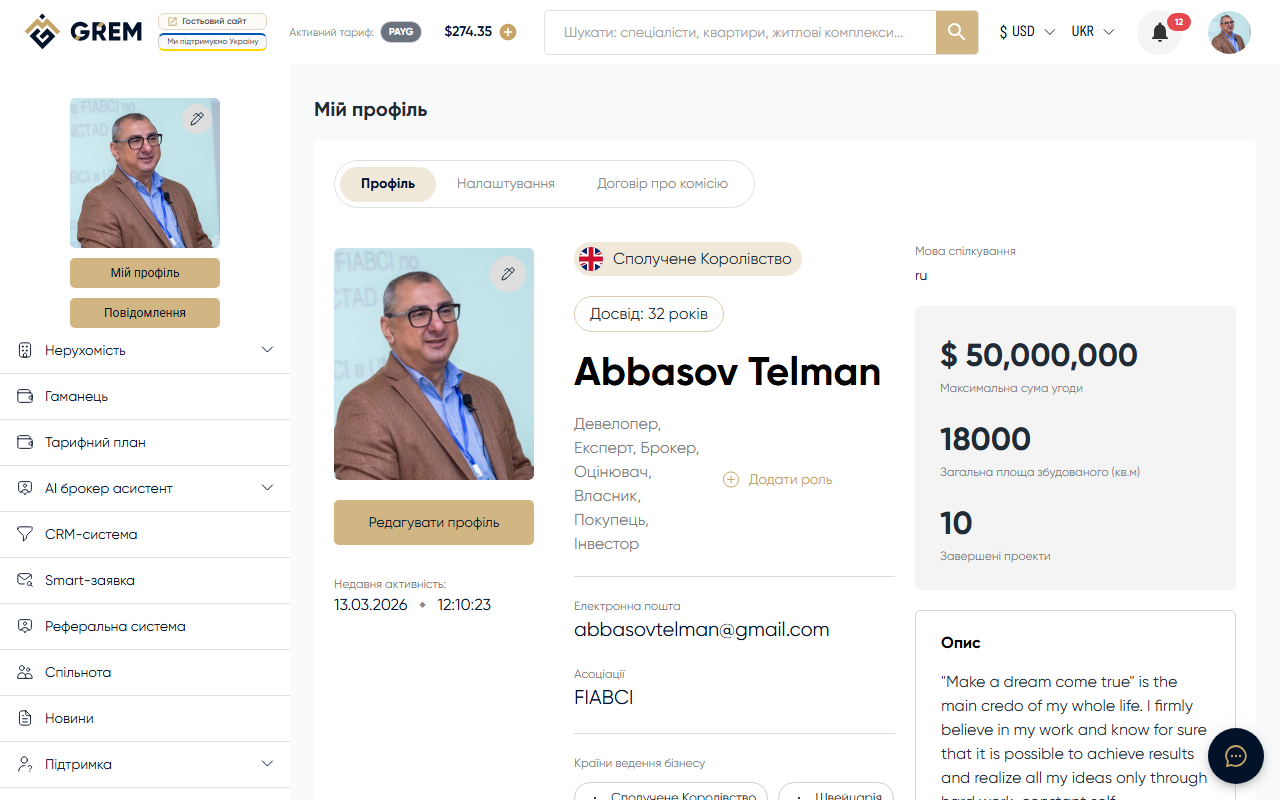
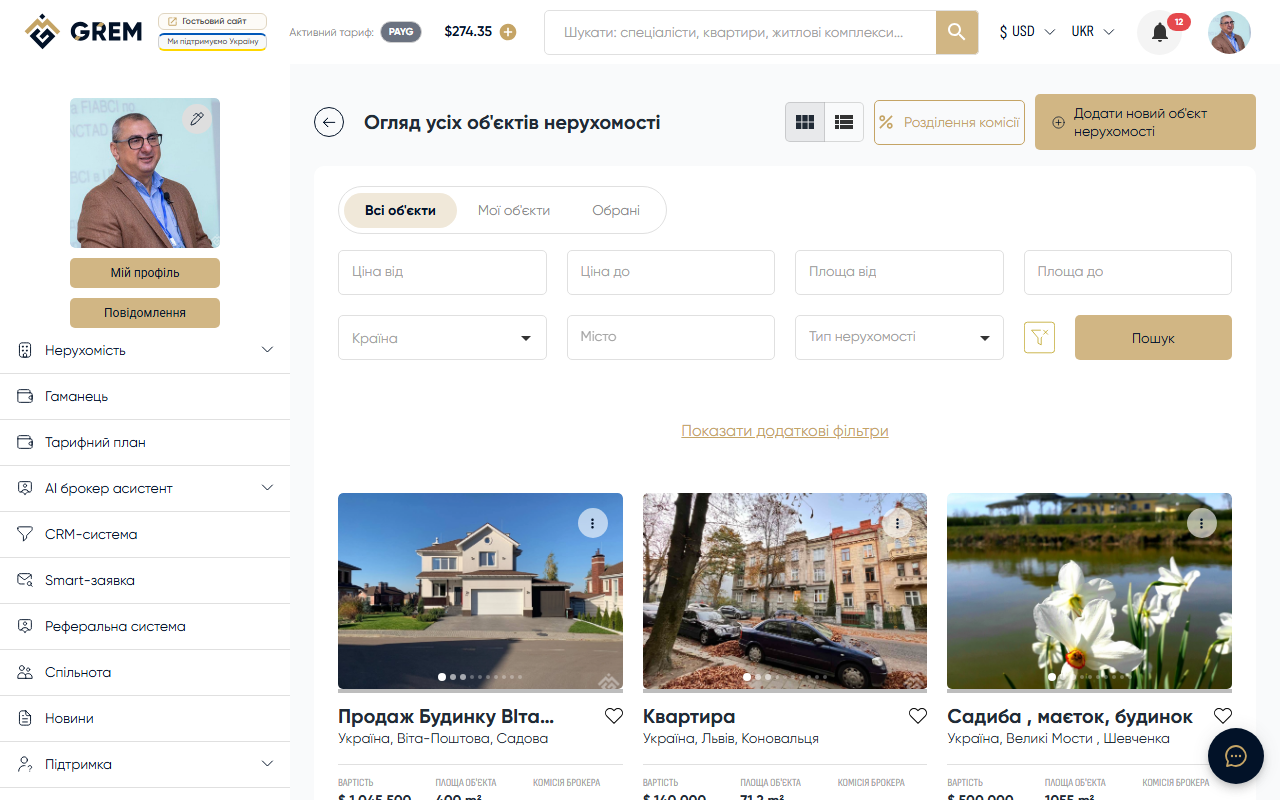
After signing in to the dashboard (cabinet.grem.capital), you'll see a sidebar menu with the main platform sections. Each section covers a specific functional area.
Platform Sections
| Section | Purpose |
|---|---|
| Property | Property management: complexes, sale listings, rentals |
| Wallet | Balance, top-up, transaction history |
| Pricing Plan | Select and manage pricing plans |
| AI Tools | Suite of AI tools for your work |
| CRM | Client and deal management |
| Smart Requests | Automated requests |
| Referrals | Referral program |
| Community | Platform participant community |
| News | Platform news and articles |
| Support | Feedback, contacts, FAQ, knowledge base |
- The messenger is accessible via the icon in the header or through the direct link
/chat. - Account settings are located in your profile under the "Settings" tab.
Property
The central section for working with real estate. Here you create, edit, and publish properties. Filters are available by type, status, price, and location. Each property has a detailed card with photos, specifications, and documents.
More details: How to add your first property
AI Tools
The platform provides a suite of AI tools accessible from a single section:
- AI Chat — real estate assistant that answers questions and helps with analysis
- Content Generator — automatic property descriptions based on specifications
- Photo Enhancement — image quality improvement, virtual staging, and object removal
- PDF Generator — professional property presentations in PDF format
- Site Generator — landing pages for individual properties with visit analytics
- Property Valuation — quick estimates and full reports with market comparables
- AI Avatar — video presentation generation
AI tools are paid through the internal wallet. A free 14-day plan is available after registration.
CRM
Client management system. Maintain a contact database, track deal statuses, and log interactions. The CRM is connected to properties and the messenger, allowing you to work with clients in a single interface.
Wallet
Balance management section. Here you can view your current balance, transaction history, and top up your wallet. The platform supports four currencies: USD, UAH, EUR, AZN. The wallet is used to pay for AI tools and additional services.
Community
The community section where you find other platform participants: agents, brokers, developers, and investors. Browse profiles, portfolios, and certificates. Company profiles with detailed information are also available here.
Smart Requests
Automated request system. Create property search requests with specific parameters. The platform automatically matches relevant properties and notifies you about new listings.
Referrals
Referral program with a unique 6-digit code. Invite new users and earn bonuses from their activity on the platform. Here you can see your list of invitees and statistics.
Support
Feedback channel with the GREM Capital team. Submit requests, report issues, or suggest improvements.
Mobile App
All main dashboard sections are available in the GREM Capital mobile app for Android. The interface is optimized for mobile devices while retaining full functionality.
Install the mobile app to receive push notifications about new messages and property status updates in real time.