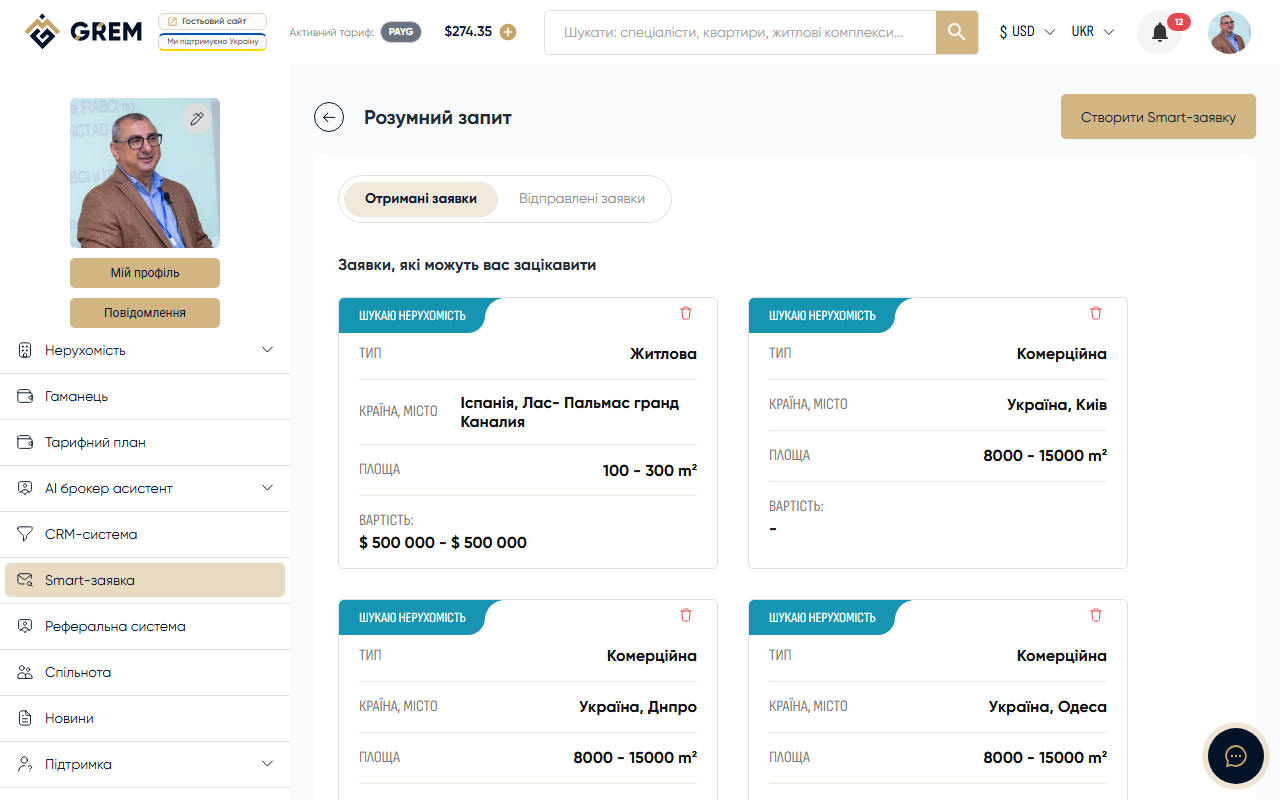
Request List
All your Smart requests are available in the "Smart Requests" section in the cabinet. Here you can see a list of created requests with key information: property type, location, price range, and status.
Viewing Details
Click on a request to go to the details page. Here you will see:
- Full request information
- Contact details
- Search parameters
- Current status
Filtering and Search
Use filters to quickly find requests:
- Filter by property type
- Filter by location
- Text search
Saving to Favorites
You can save interesting requests to favorites. Click the heart icon on the request card. Saved requests are stored separately through the favorites system.
More about favorites: Favorites Overview.
Contacting Specialists
From the request page, you can send a message to a specialist through the platform's built-in messenger. This creates a direct communication channel for discussing details.
More about the messenger: Messenger Overview.
Request Statuses
| Status | Description |
|---|---|
| Active | Request is visible, accepting responses |
| Closed | Request is completed, not accepting new responses |
Check responses to your requests regularly. A quick reaction increases your chances of a successful match.