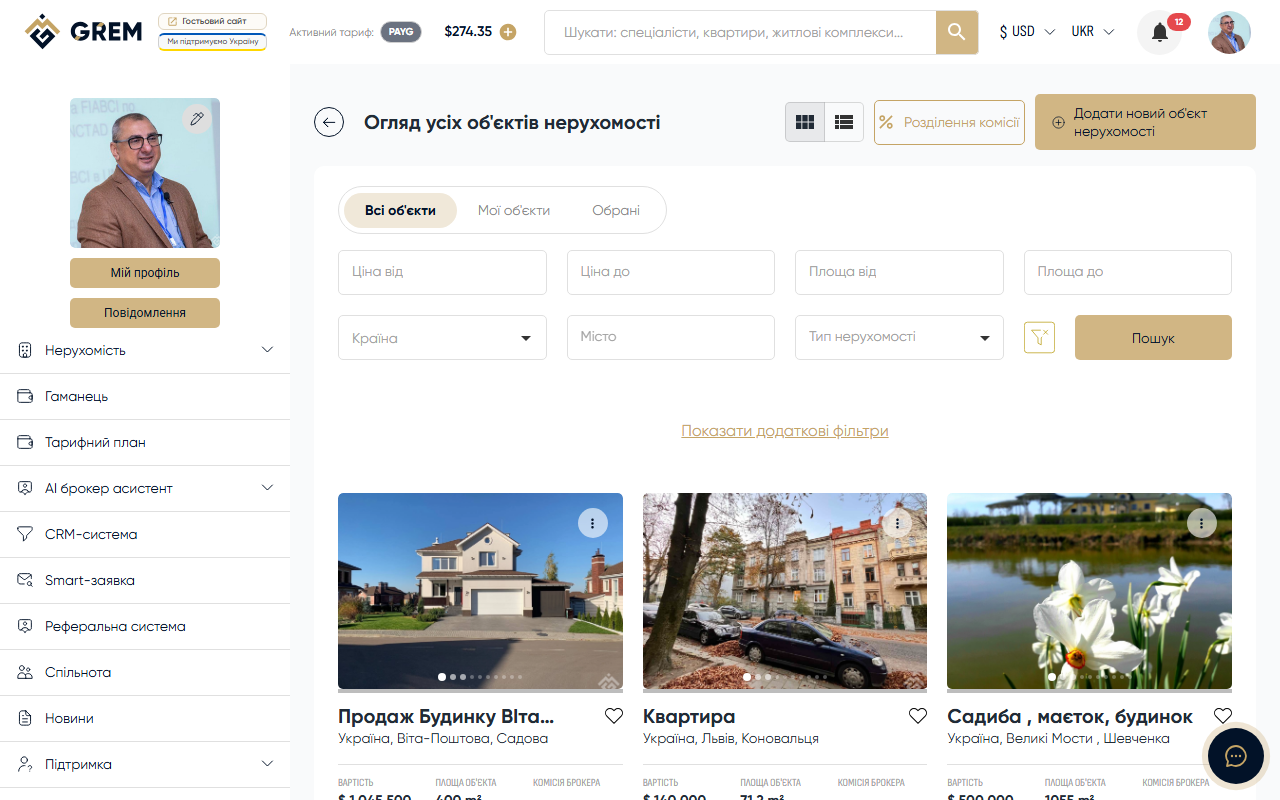
Working with Real Estate on GREM
The "Real Estate" section is the central module of the GREM Capital platform. Here you create, edit, publish, and sell properties. The module is available in the dashboard under "Properties" and in the mobile app.
Property Types
The platform supports 4 main types:
| Type | Description |
|---|---|
| Residential | Flats, houses, townhouses, villas, apartments, condos |
| Commercial | Offices, retail spaces, hotels, general-purpose premises |
| Industrial | Factories, warehouses, hangars, industrial complexes |
| Land plot | Land plots without subtypes |
For a detailed description of types and subtypes, see the Property Types article.
Related Sections
In addition to property listings, the platform has separate sections:
- Residential Complex — a separate section created by users with the Development Company role. A complex is not a property type but a separate entity for showcasing developer projects.
- Rental — a separate section for rental properties. It has its own data structure and creation process.
Key Features
Creating Properties
Properties are created through a multi-step form: general information, location, technical specifications, financial data, photos, and documents. Each step is validated separately.
Creating requires one of the following roles: Broker, Seller, or Development Company. Before publishing, you must sign a commission split contract.
The full process is described in the Creating a Property article.
Search and Filtering
- Full-text search with up to 2 typo tolerance
- Filters: type, price, area, floor, room count, city, country
- Three tabs: all properties, my properties, favorites
- Toggle between grid and list views
More details: Property Search.
Media and Documents
- Photo uploads with automatic size variant generation
- AI photo enhancement (cleanup, enhancement, virtual staging)
- Floor plans, owner documents, agency documents
More details: Photos and Documents.
Statuses and Lifecycle
A property goes through stages: draft, moderation, active, sold, inactive, or rejected. Archiving and restoration are available.
More details: Property Statuses.
Publishing and Landing Pages
A landing page is automatically generated for each property. You can customize the display, track leads, and mark a property as "Best Sale."
More details: Landing and Publishing.
Where to Find It
- Dashboard: "Properties" section in the navigation
- Mobile app: "Properties" section in the navigation
- Public catalog: grem.capital/catalog
For full property management, make sure your profile is complete and you've selected the appropriate role (Broker, Seller, or Development Company).