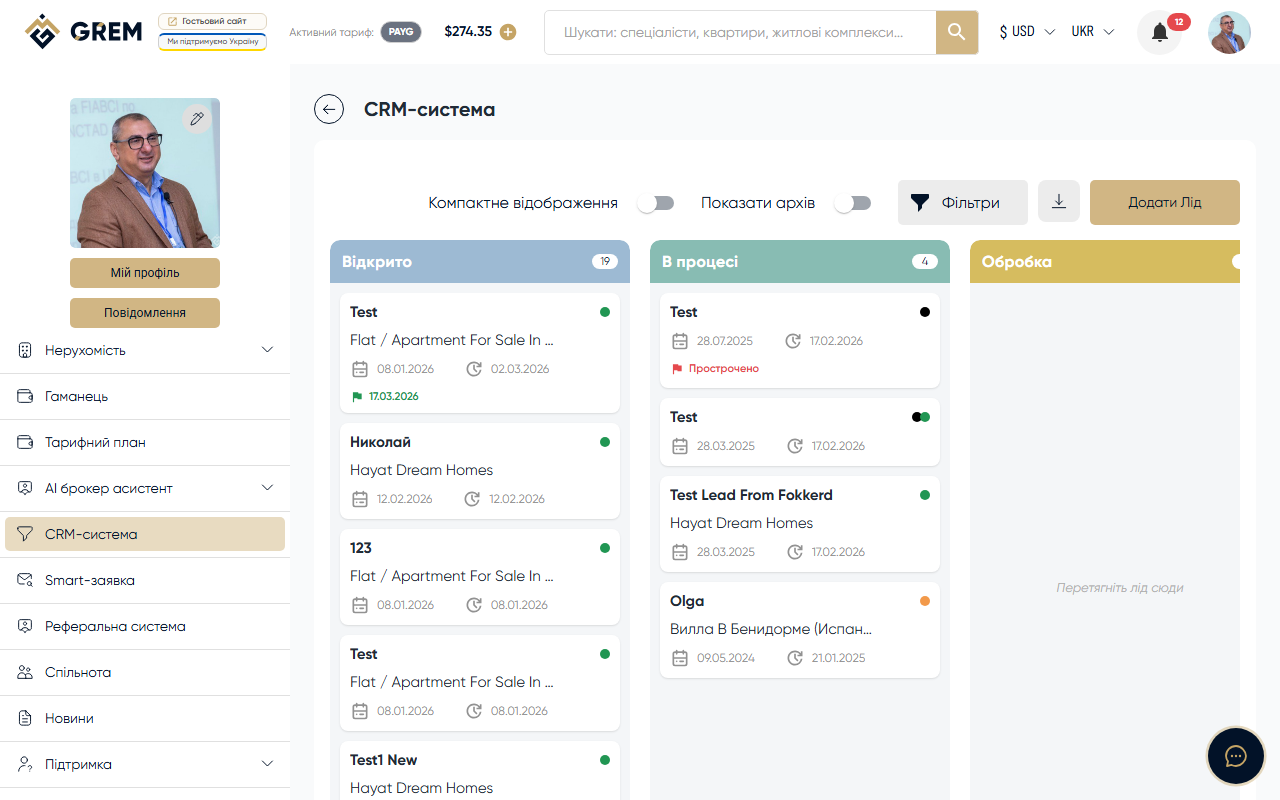
Lead Deadlines
You can set a deadline for each lead — a target date by which work with the client should be completed. Deadlines help you stay on track and avoid losing leads.
Setting a Deadline
A deadline is set in the lead card via the deadline row. Select a date and save. The system sends a request to update the deadline on the server.
| Parameter | Description |
|---|---|
| Deadline date | Target date for working with the lead |
| Reminder | Choose from the list: no reminder, 1 day before, 3 days before, 7 days before |
Reminder System
Reminders work automatically. The system checks leads with active deadlines daily and sends notifications.
How Reminders Work
- You set a deadline and choose a reminder option from the list
- The system checks leads daily
- When the selected number of days remains until the deadline, the system sends a notification
- The notification arrives through the platform's notification system
The "no reminder" option means no notification will be sent. The maximum reminder value is 7 days before the deadline.
Configuration Examples
| Reminder | Deadline | Notification arrives |
|---|---|---|
| 1 day before | March 15 | March 14 |
| 3 days before | March 15 | March 12 |
| 7 days before | March 15 | March 8 |
Archiving Leads
Leads that are completed or paused can be archived:
- Click the archive button in the lead card
- The archived lead disappears from the board (if the "Archived" filter is off)
- Enable the "Archived" filter on the board to view archived leads
- You can restore a lead from the archive at any time
Archiving does not delete the lead. All data, messages, and documents are preserved. You can restore the lead and continue working with it.
Documents
Each lead has a "Documents" tab for storing files related to the deal.
| Parameter | Value |
|---|---|
| Maximum files | 10 per lead |
| File types | Documents, images, PDF |
Upload a file via the "Documents" tab in the lead card. Files are accessible to both parties — the lead sender and recipient.
Related Sections
- Lead Management — creating and editing leads
- Sales Pipeline — filters and board view
- Lead Chat — lead communication