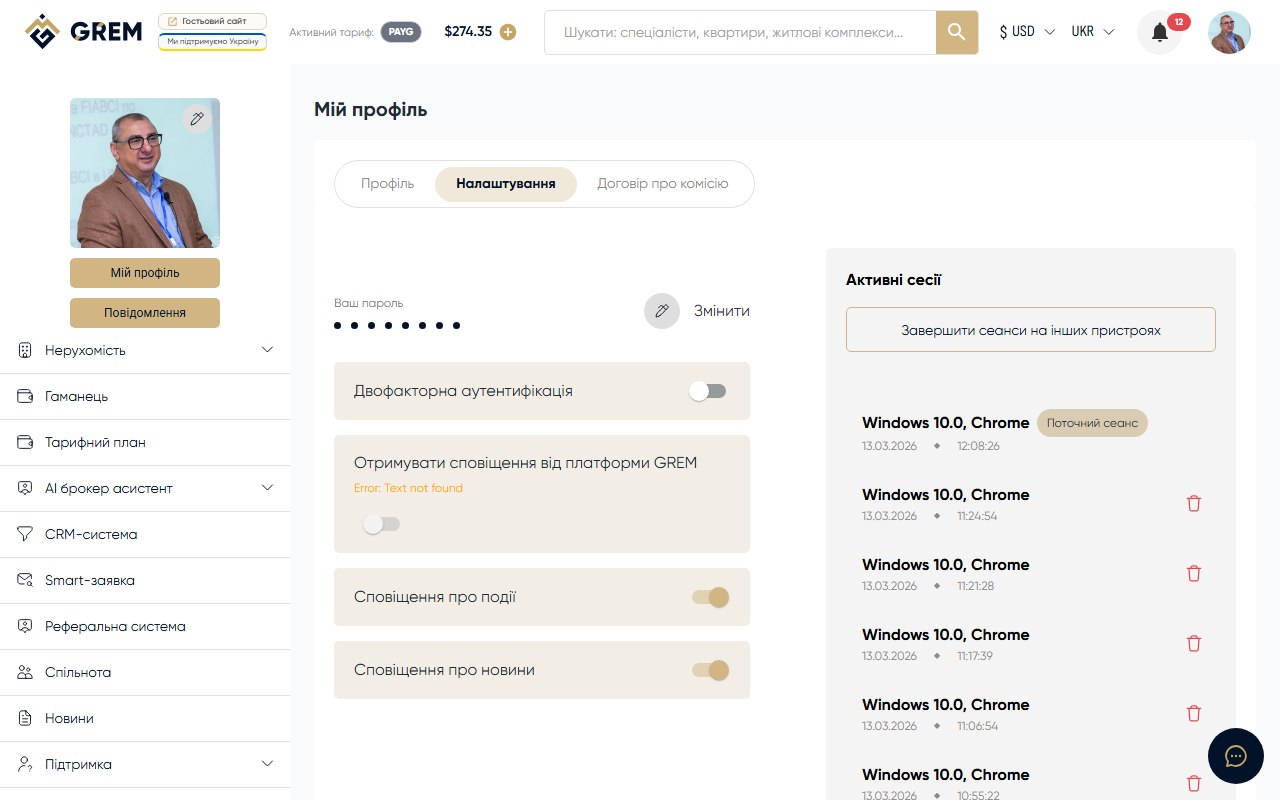
Account Settings
The settings page is available in the "My Profile" section in the cabinet. Here you manage your personal data, security, and account parameters.
Settings Tabs
Profile Editing
Your account's basic information:
| Field | Description |
|---|---|
| First and last name | Your name on the platform |
| Email address (used for login) | |
| Phone | Contact number |
| Country and city | Your location |
| Avatar | Profile photo |
Contact Form
Additional ways to reach you: messengers, social media, website.
Education
Education details: institution, graduation year, specialty.
Finances
Financial data for payments and withdrawals.
Licenses
Professional licenses and certificates to confirm your qualifications.
Professional Data
Work experience, specialization, number of completed deals.
Role Editing
Change your role on the platform (Broker, Owner, Developer, etc.). More details: Community Roles.
Settings
Additional account parameters:
- Interface language
- Display currency
- Notification settings
Related Sections
- Account Security: change password
- Active Sessions: manage devices
Fill out your profile as completely as possible. This affects your visibility in the community and other users' trust.