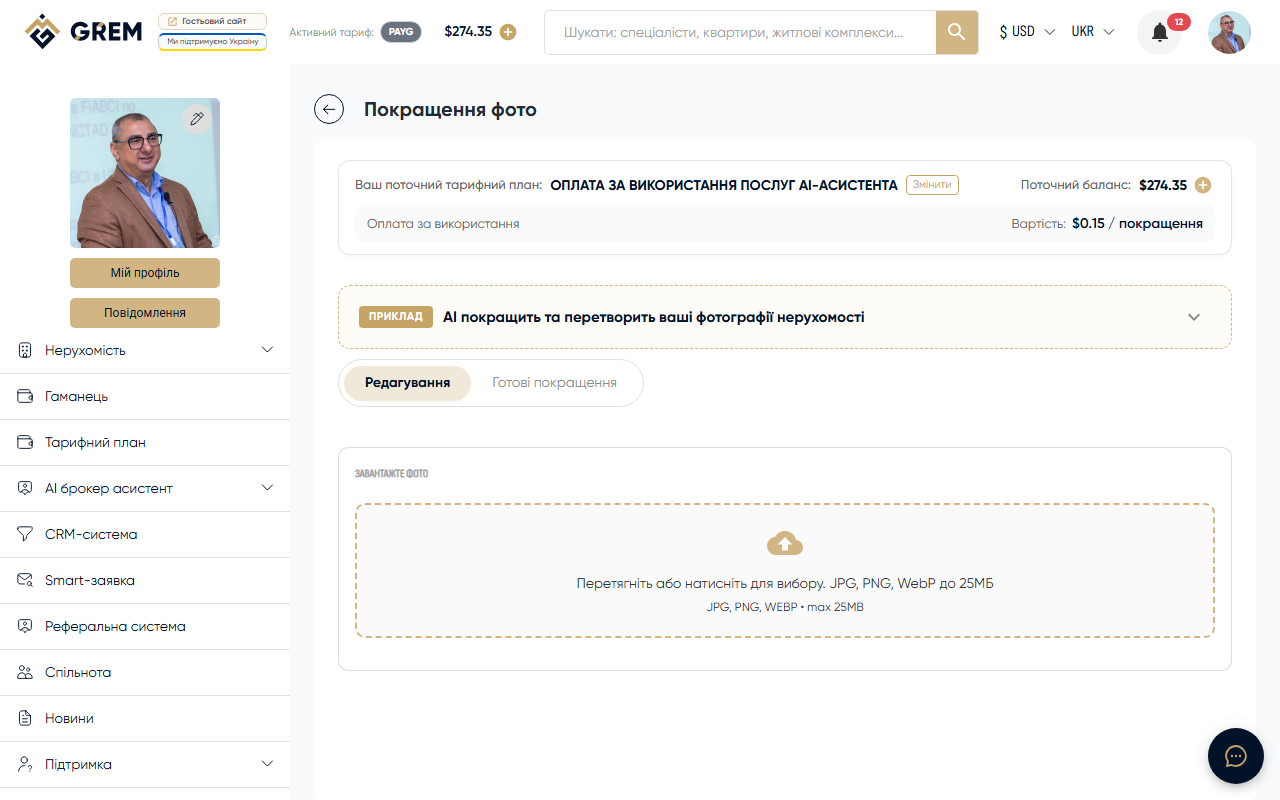
What It Is
AI Photo Enhancement is a tool for processing real estate images. It removes unwanted objects, improves lighting and colors, and adds virtual furniture to empty rooms.
Three Processing Modes
Cleanup
Removes unwanted objects from photos: personal items, clutter, extra objects. Use the mask to mark the area for cleanup.
Enhance
Improves overall image quality: levels lighting, corrects colors, increases sharpness and contrast. Works automatically, no mask needed.
Staging
Adds virtual furniture and decor to empty or semi-empty rooms. Available parameters:
- 7 room types: living room, bedroom, kitchen, bathroom, dining room, office, exterior
- 6 styles: modern, Scandinavian, industrial, luxury, minimalist, coastal
How to Use
- Go to Tools > Photo Enhancement in the dashboard
- Upload a photo or select one from the property gallery
- Choose the processing mode (cleanup, enhance, or staging)
- For cleanup: use the mask editor to mark the processing zone. For staging, the mask is optional
- Optionally, add a text description of the desired result (up to 500 characters)
- Click "Enhance photo"
Mask Editor
Built-in mask editor:
- Brush — paint the area for processing
- Eraser — remove unwanted parts of the mask
- Brush size adjustment
- Image zoom
Batch Processing
You can process up to 10 photos in a single run. Upload multiple images, configure the settings, and start processing for all of them at once.
Comparing Results
After processing, a "before/after" slider is available — drag the divider to compare the original with the result. The result can be applied to the property gallery or downloaded as a ZIP archive.
Limits
| Parameter | Value |
|---|---|
| Maximum file size | 25 MB |
| Maximum resolution | 4096 x 4096 pixels |
| Maximum characters in result description | 500 |
| Batch processing | up to 10 photos |
| Daily limit | 5 enhancements (default) |
AI Processing
The AI automatically selects the optimal processing approach based on the selected mode and image parameters.
Processing results depend on the quality of the source photo. Blurry or dark images may produce less accurate results.
Pricing
Billed per processed image. Funds are deducted from your GREM wallet balance. More details: pricing plans.
Availability
| Platform | Path | Status |
|---|---|---|
| Dashboard (web) | Tools > Photo Enhancement | Full support |
| Mobile app | "AI" section | In development |