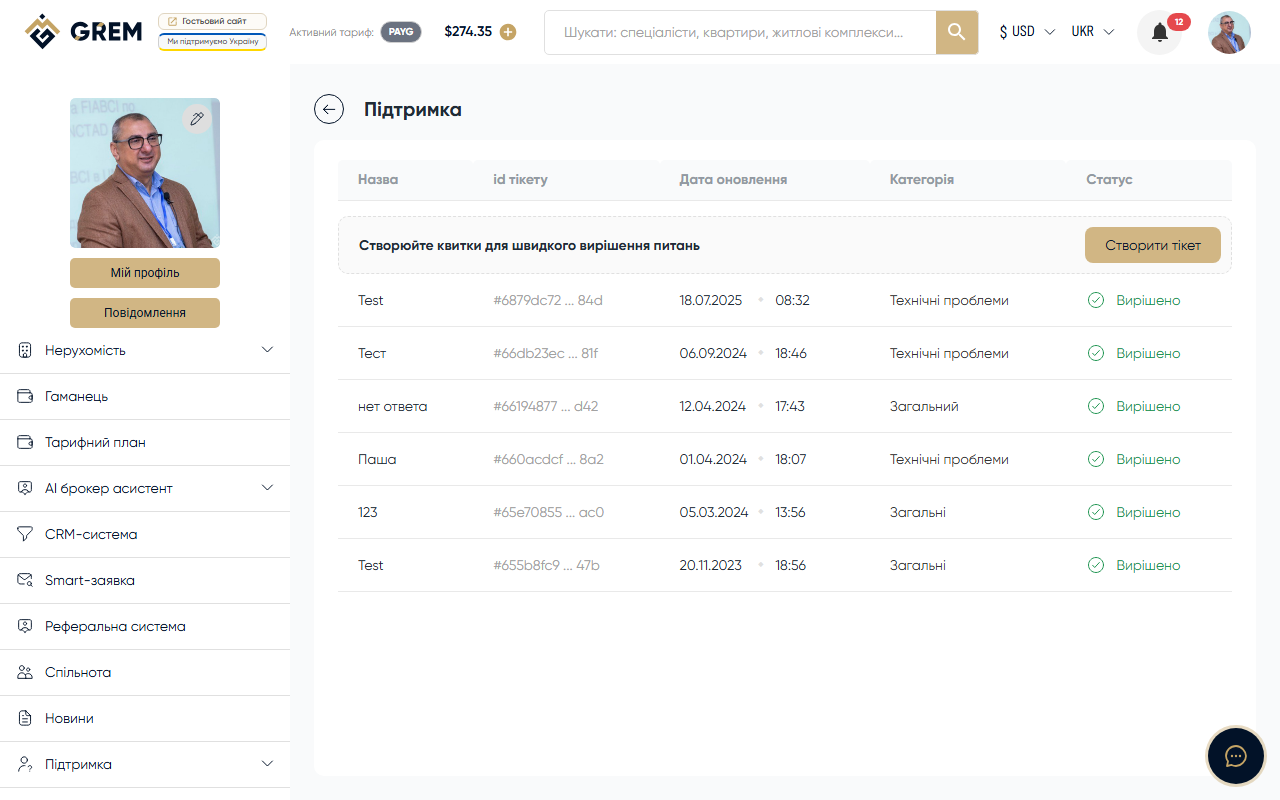
GREM Support
The GREM Capital platform has a built-in support system for resolving user questions and issues. You can create a ticket, browse the FAQ, or contact the support team directly.
Main Sections
| Section | Description |
|---|---|
| Ticket List | All your requests |
| Create Ticket | New request |
| Ticket Details | View and communicate |
| FAQ | Frequently asked questions |
| Contacts | Feedback form |
How the Ticket System Works
- You create a ticket describing your issue or question
- The ticket enters the support queue
- A specialist picks up the ticket and responds
- You receive a notification about the response
- Communication continues in the ticket message thread
- Once resolved, the ticket is closed
Ticket Statuses
| Status | Description |
|---|---|
| Open | Ticket created, awaiting review |
| In Progress | Specialist is working on a resolution |
| Awaiting Response | Waiting for user response |
| Response Provided | Specialist has responded |
| Needs Reassignment | Needs to be reassigned to another specialist |
| Resolved | Issue resolved |
| Canceled | Ticket canceled |
| Archived | Ticket archived |
Alternative Channels
Besides tickets, you can:
- Browse the FAQ for quick answers
- Use the feedback form on the contacts page
- Write to support messenger
Before creating a ticket, check the FAQ section. The answer to your question may already be there.