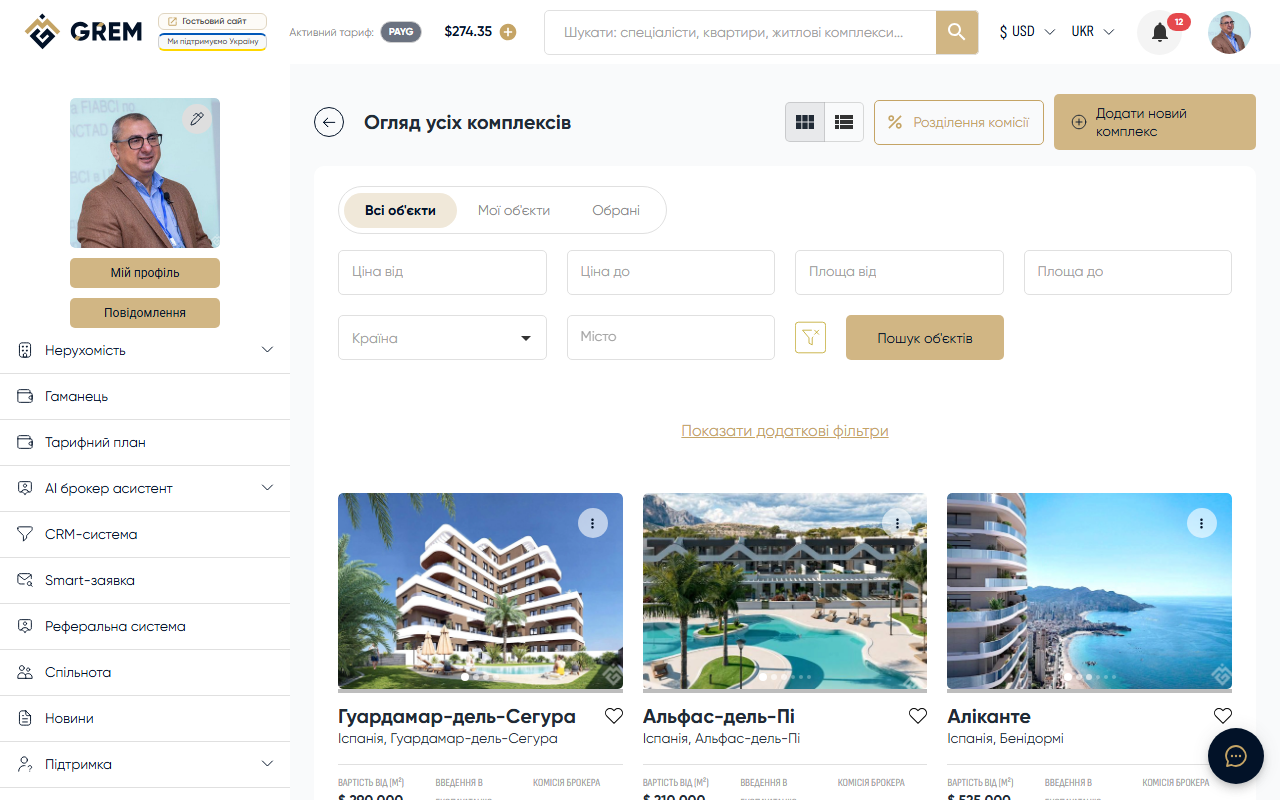
What Are Residential Complexes
Residential complexes are a separate type of listing on the platform for developers and brokers. Unlike regular properties, a complex brings together all information about a development: general description, individual apartments (units), construction progress, and news.
Creating complexes is available for the following roles: Broker, Development Company.
Complex Structure
A complex consists of several sections:
- General information — name, description, address, price range
- Technical specifications — building class, number of sections, floors, apartments, parking spaces
- Apartments (units) — individual units with their own photos, floor plans, and pricing
- Floor plans — layouts linked to specific floors
- Documents — land documentation, construction participants, permits
- Construction progress — photo reports on work progress
- News — updates and announcements about the complex
Creating a Complex
Basic Information
- Complex name
- Price range: from and to (in the selected currency)
- Currency: USD, UAH, EUR, AZN
- Address with map location
Technical Specifications
| Field | Description |
|---|---|
| Building class | Comfort class of the building |
| Number of sections | How many sections (buildings) in the complex |
| Number of floors | Maximum number of floors |
| Number of apartments | Total number of apartments |
| Parking spaces | Number of parking spots |
| Area | Apartment area range (from-to, sq.m) |
| Completion year | Planned completion date |
| Furnishing | Furnished or not (yes/no) |
Apartment Types
When creating a complex, you specify which apartment types are available:
- 1-bedroom
- 2-bedroom
- 3-bedroom
- 4-bedroom
- 5-bedroom
- Penthouses
- Studios
Development Type
Select the development type:
- Multi-apartment building
- Apart-hotel
- Townhouse
- Cottage
- Villa
- Hotel
Apartments (Units)
For each apartment in the complex, you can create a separate entry:
- Apartment type (1-bedroom, studio, penthouse, etc.)
- Area (sq.m)
- Price
- Description
- Floor plan photos
Apartments are added, edited, and deleted from the complex card.
Floor Plans
Upload floor plan layouts linked to specific floors. This helps buyers visualize the apartment locations within the building.
Documents
Upload complex documentation in three categories:
- Land documents — land rights, cadastral records
- Participants — permits and licenses of construction participants
- Construction documentation — building permits, project documentation
Construction Progress
Publish regular updates on construction progress:
- Update title
- Date
- Progress description
- Photos from the construction site
Updates are displayed in chronological order on the complex page.
Complex News
Publish news and announcements:
- Launch of sales for a new building
- Promotions and special offers
- Construction milestone achievements
Complex Statuses
| Status | Description |
|---|---|
| Draft | Saved, not published |
| Moderation | Awaiting review |
| Active | Published in the catalog |
| Rejected | Rejected by moderator |
| Sold | All apartments sold |
| Inactive | Temporarily hidden |
| Deleted | Deleted |
For publishing, the following are required: name, country and city, and "from" price.
Archiving
Complexes can be archived if they are temporarily irrelevant. Archiving is not available if the complex is in moderation, being processed, or has active leads.
Landing Page
When a complex is published, a landing page with view analytics is automatically created.
Commission Contract
An active commission contract is required to work with leads for a complex. The contract defines the broker's commission percentage for apartment sales within the complex.
A complex brings everything together in one place: general information, apartments, documents, and construction progress. This is more convenient than creating separate property listings for each apartment.