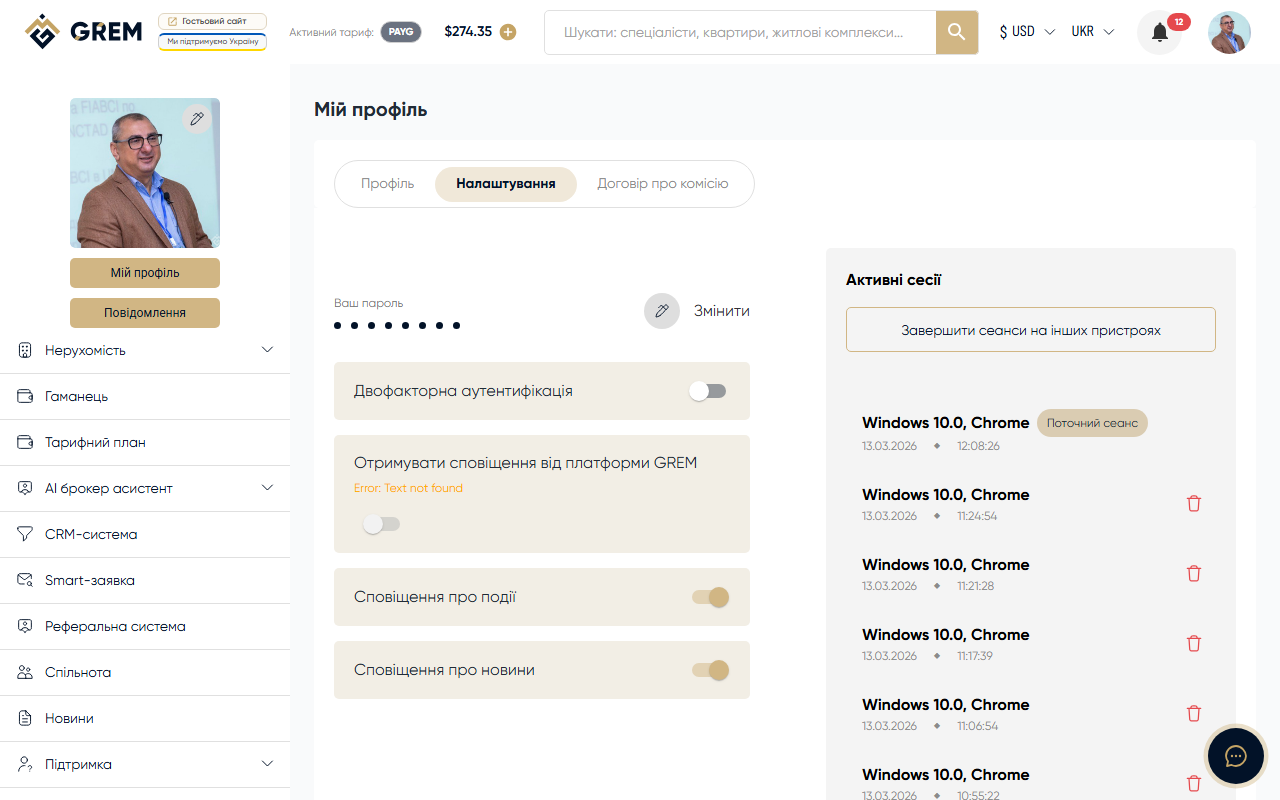
Account Deletion
If you no longer plan to use the GREM Capital platform, you can delete your account. This action is irreversible.
Account deletion is permanent. Once deleted, you will lose access to all your data, properties, contacts, and history on the platform. Consider this decision carefully before proceeding.
How to Delete Your Account
- Sign in to the dashboard with your credentials
- Go to Settings
- Find the account deletion option
- Confirm the deletion
What Happens After Deletion
After your account is deleted:
- Profile — your profile becomes invisible to other users
- Properties — all your properties and listings are removed from the catalog
- Rentals — all rental listings are removed
- Residential complexes — any complexes you created are also removed
- AI tools — usage history for AI tools (reports, appraisals, PDF files) is deleted
- CRM — your leads, contracts, and deals are deleted
- Messenger — your messages and chats become inaccessible
- Smart requests — all your requests are deleted
- Referrals — referral links and rewards are deleted
- Community page — your profile disappears from the community
After account deletion, your data becomes inaccessible to other users. Properties, listings, and your profile disappear from the catalog and community.
Alternatives to Deletion
Before deleting, consider other options:
- Deactivate properties — if you want to temporarily pause activity, set your properties to "Inactive" status instead of deleting your account
- Archive — archive properties that you don't need right now but may need in the future
- Disable notifications — if you're bothered by excessive messages, adjust your notification settings instead of deleting your account
Remaining Balance
Before deleting, make sure there are no remaining funds in your wallet balance. Refunds are not possible after account deletion.